

Why We Chose SurveyJS for the Endatix Form Management Platform
SurveyJS is a mature and feature-rich JavaScript form and survey engine. A form is a JSON document that the library turns into a rendered, validated, conditionally branching form in the browser. A user-friendly drag-and-drop builder (SurveyJS Creator) lets non-developers author the JSON without ever looking at a line of code. It ships with more than twenty question types, an expression language for conditional logic and validation, multi-language support, theming, and PDF generation.
In addition to the impressive feature list almost every part of the engine and the form builder component is a well-documented extension point:
Serializer.addProperties()adds new properties to question types that already exist, and they automatically show up in the builder’s UI and serialize into the form JSON like any built-in property.FunctionFactory.Instance.register()adds new functions to the expression language, usable anywhere an expression is accepted.- Subclassing
QuestionSelectBaseorQuestionFileModelBasecreates entirely new question types that behave like first-class citizens in the toolbox, the logic tab, and the PDF export. PropertyGridEditorCollection.register()replaces the editor for a property in the builder.- SurveyJS Creator plugins allow whole new tabs to be added next to its native Design, Preview, Logic, Translations, etc.
- The model fires events for practically everything, from
onTextMarkdowntoonChoicesLazyLoad.
That makes a huge difference because a form engine is never finished. Every industry we work in (market research, legal intake, insurance, finance, education, healthcare) eventually asks for something custom and specific to their use cases.
What Endatix Brings to the Table
Endatix Hub is a complete form management platform inspired by SurveyJS and completely built around it. It covers the parts every team needs to develop to get their SurveyJS project off the ground: authoring, publishing, a submissions inbox, file storage, user management and permissions, multi-tenancy, webhooks, exports, and analytics. It runs self-hosted on your infrastructure or as a private hosted service.
Since Endatix follows the officially recommended extensibility practices, it picks up upstream SurveyJS improvements as they ship without delays. With SurveyJS v3 for example, we adopted the new UI preset editor straight away, and the shadcn theme adapter now keeps forms visually in sync with the rest of the Endatix application instead of looking like an embedded widget.
What follows are ten of the enhancements that ship in Endatix Hub, which we were able to build without having to fork SurveyJS or touch its underlying code in any way. We even designed those enhancements so that they are only loaded on demand in order to ensure the performance of the engine is not affected in any way.
General Enhancements
1. File Storage
This is the enhancement with the least glamour and the largest consequences.
SurveyJS supports both base64-encoded file storage and uploading files to a server. While base64 storage works well for a small number of lightweight files, it can become impractical when dealing with larger uploads. For example, client intake or facility inspection forms often require users to upload high-resolution photos, video recordings, or PDF documents that can quickly bloat the JSON payload.
Implementing production-ready server-side file storage requires additional backend infrastructure to handle large files, manage access permissions, and process uploads securely.
Endatix connects file uploads to an object storage provider of your choice. Azure Blob Storage, RustFS, or any other Amazon S3-compatible provider are supported. Every file-upload question type on your form, as well as form assets such as logos or instructional images, are automatically and securely routed to the configured storage provider.
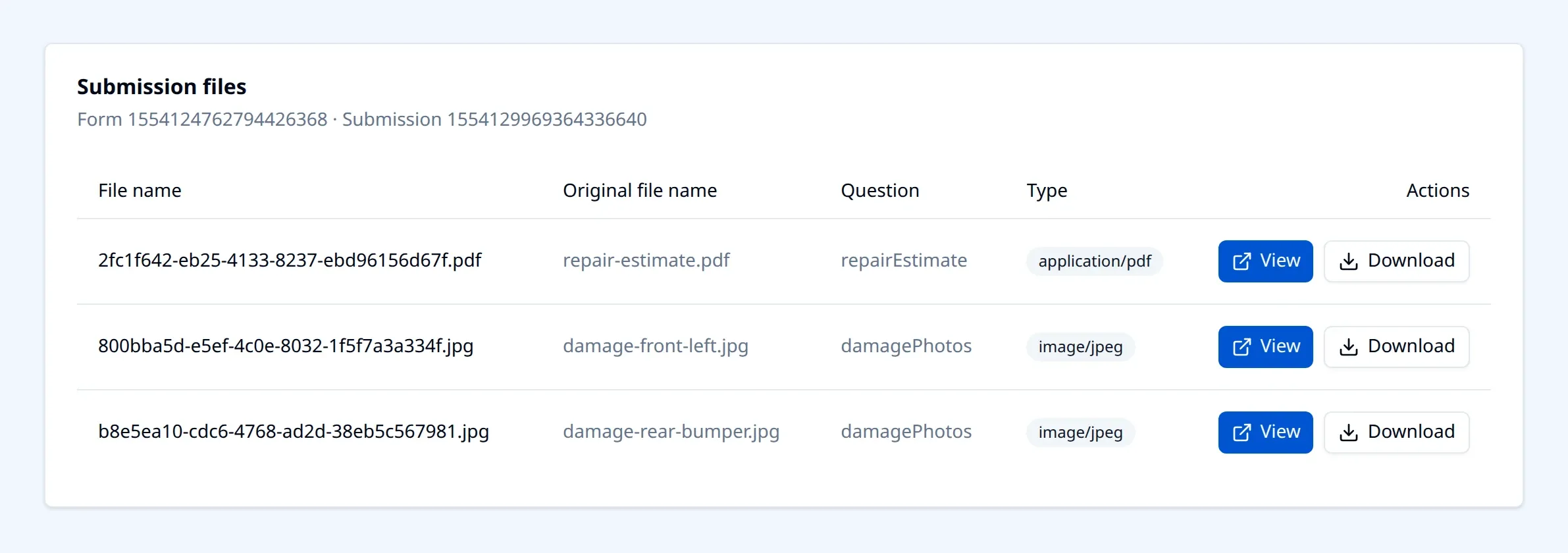
Three details make this more than a plumbing change:
- An accidental switch to a base64 storage is impossible. When a storage provider is configured,
storeDataAsTextandwaitForUploadare forced to the correct values and hidden from the property grid entirely. An author cannot flip them back and silently undo it. - Reads are authorised, not public. Uploaded files are served through short-lived, scoped read tokens rather than permanently guessable URLs. For anything covered by HIPAA or GDPR this is a must.
- Images are optimised on the way in. Uploads can be resized and recompressed server-side (800px wide at quality 80 by default, both configurable), which is usually the difference between a 6MB camera upload and a 200KB one that still reads perfectly in a review queue.
Deep dive coming next in this series: how Endatix handles file storage and image uploads for SurveyJS forms.
2. Data Lists
In SurveyJS, choices are either defined on each question or can be dynamically fetched from a REST endpoint. The ability to load choices from an API is extremely valuable for industries like market research or healthcare, where dropdown lists can have thousands of choices. However, you still need an API that serves those lists and a UI that allows business users to manage them.
Data Lists in Endatix solve that problem. It allows users to easily create and manage lists of choices that can be reused across multiple forms. A list is created once in Endatix Hub by uploading a spreadsheet, a CSV, or a JSON file, and can then be linked to any question by name. When the list is updated, every question that uses it is updated as well. Existing in-line choices on a question can also be converted into a data list with a single click.
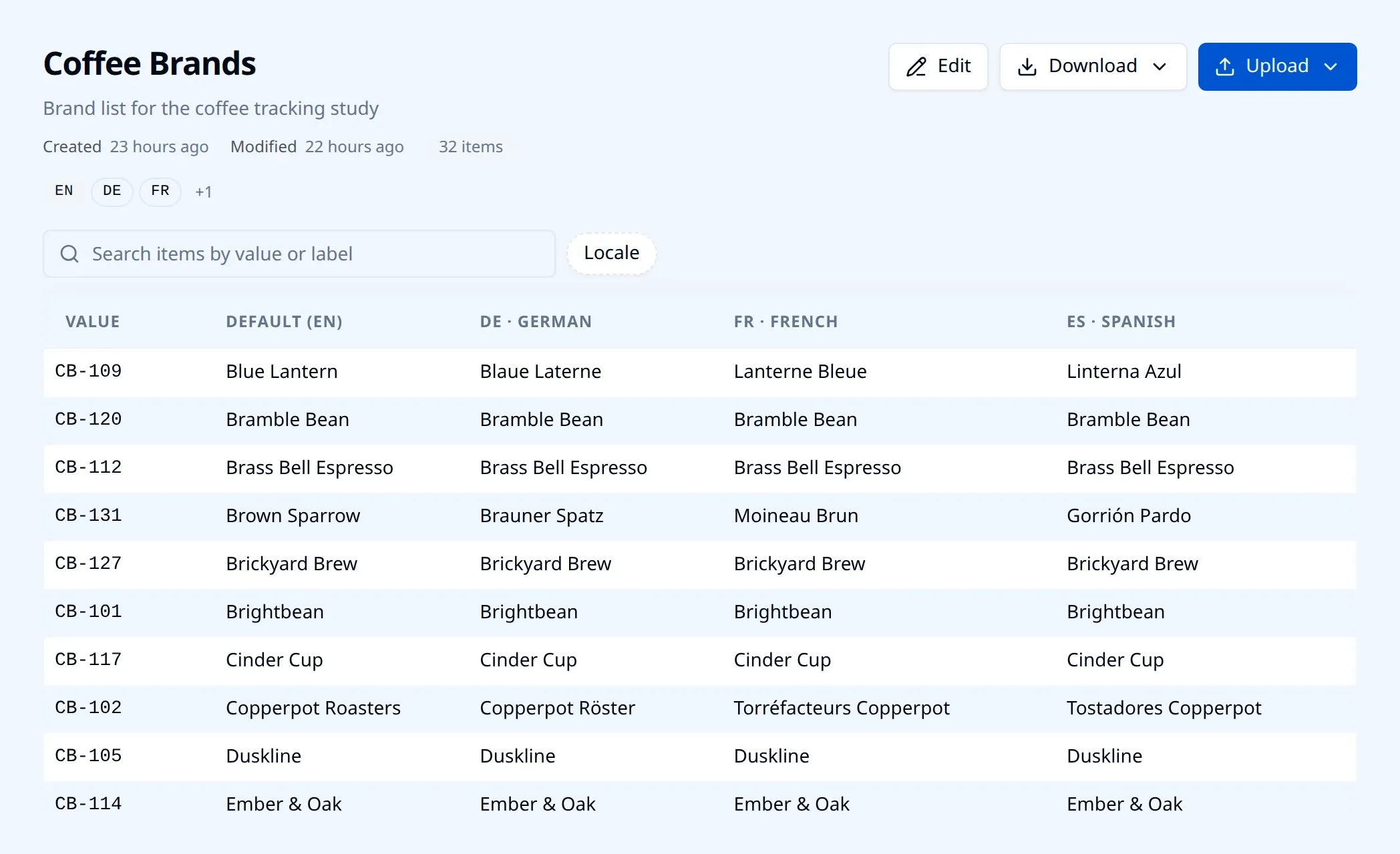
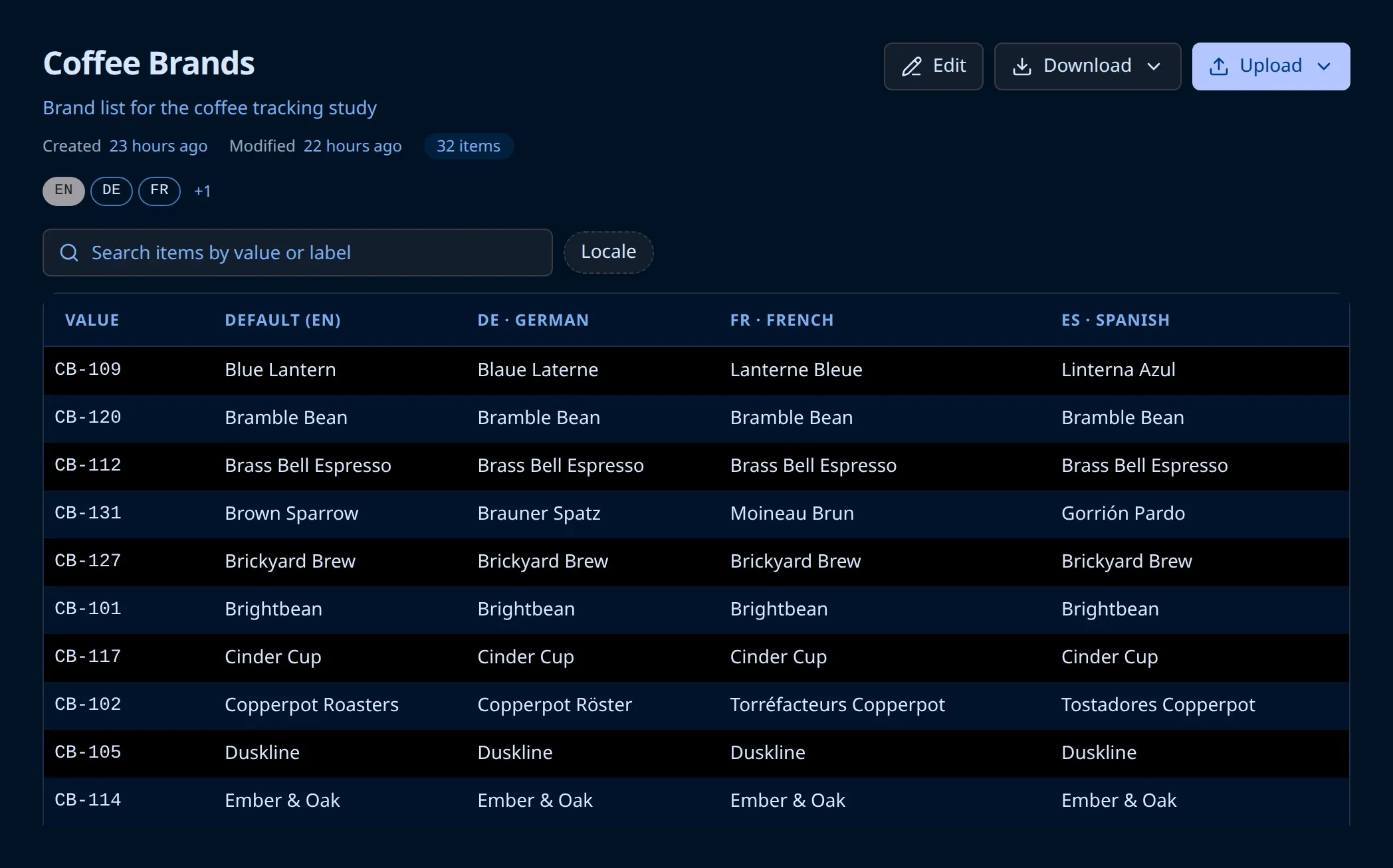
Large lists are fully supported. SurveyJS provides lazy loading of choices through the onChoicesLazyLoad event, and Endatix adds everything needed on the server side: a searchable catalog, paging, and the resolution of display labels for values that have not been loaded in the browser yet. A list can hold up to 5,000 items, and a dropdown bound to it fetches one page at a time as the respondent types.
Data lists are multilingual too. Each item can carry labels for up to twenty locales, and the correct label is selected based on the survey locale at runtime. Translations can be updated by simply re-uploading the spreadsheet, so a single list serves every translated version of a form.
Deep dive coming in this series: large and multilingual choice lists.
3. Multi-Tenancy for SaaS
Many teams that choose SurveyJS are building a product that their own customers will log into, rather than a single internal form application.
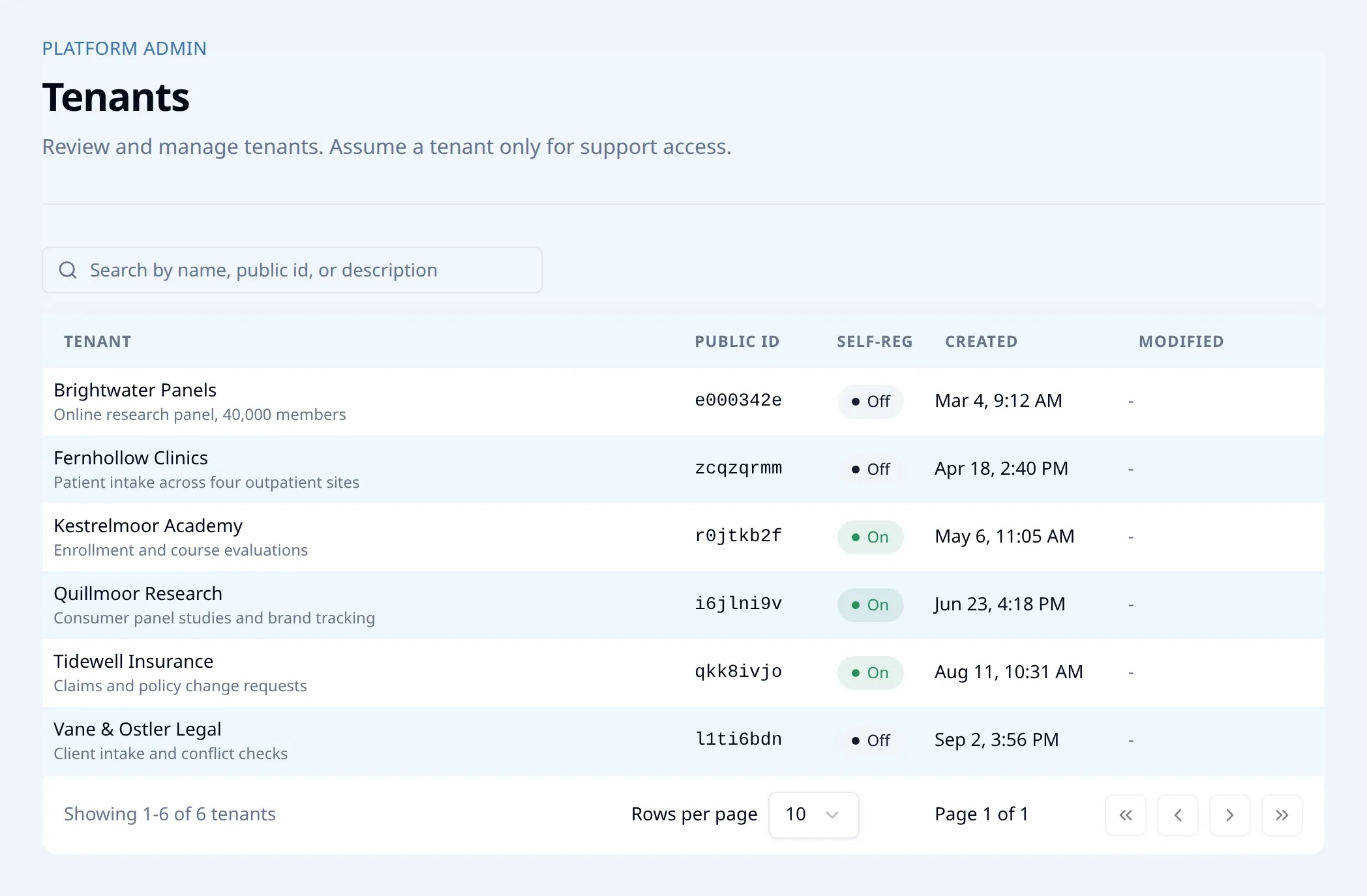
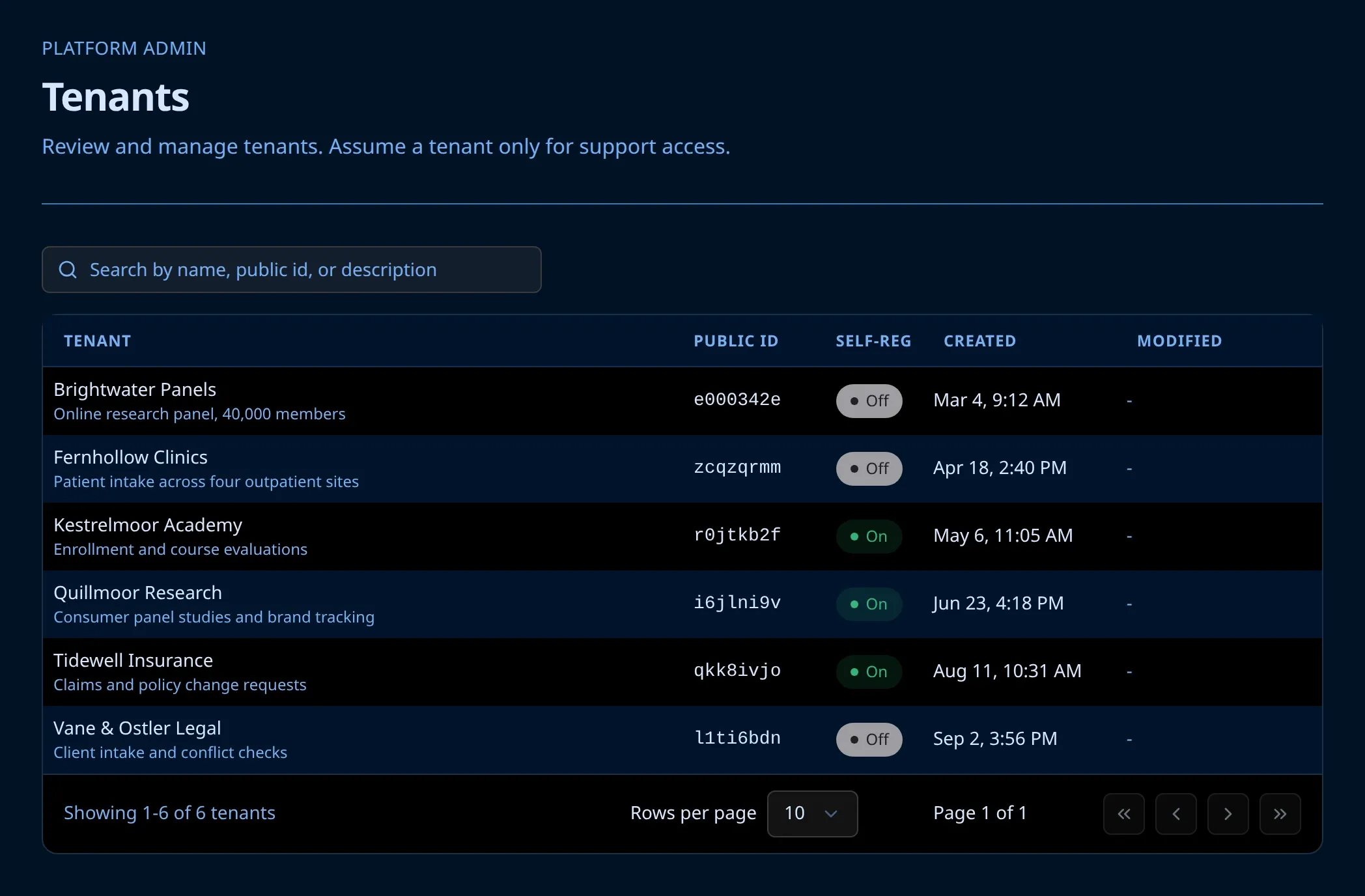
Endatix Hub supports this scenario out of the box. A single installation can host many isolated tenants, so you can run your own form or survey service on one deployment instead of maintaining a separate instance per customer. Tenants can self-register, administrators can assign custom roles within each tenant, and support staff can assume a tenant’s account to see exactly what a customer sees when troubleshooting. Single sign-on and role-based access control are supported as well.
Deep dive coming in this series: building a multi-tenant form SaaS on SurveyJS.
4. New Question Types
Custom question types are one of the most powerful extension points in SurveyJS. By subclassing the appropriate base type, a new question automatically gets a toolbox entry, property grid support, integration with the logic tab, JSON serialization, and PDF export. This means that the development effort goes into the question’s behaviour and user interface, while SurveyJS takes care of the rest.
Here are two custom question type examples that ship with Endatix Hub:
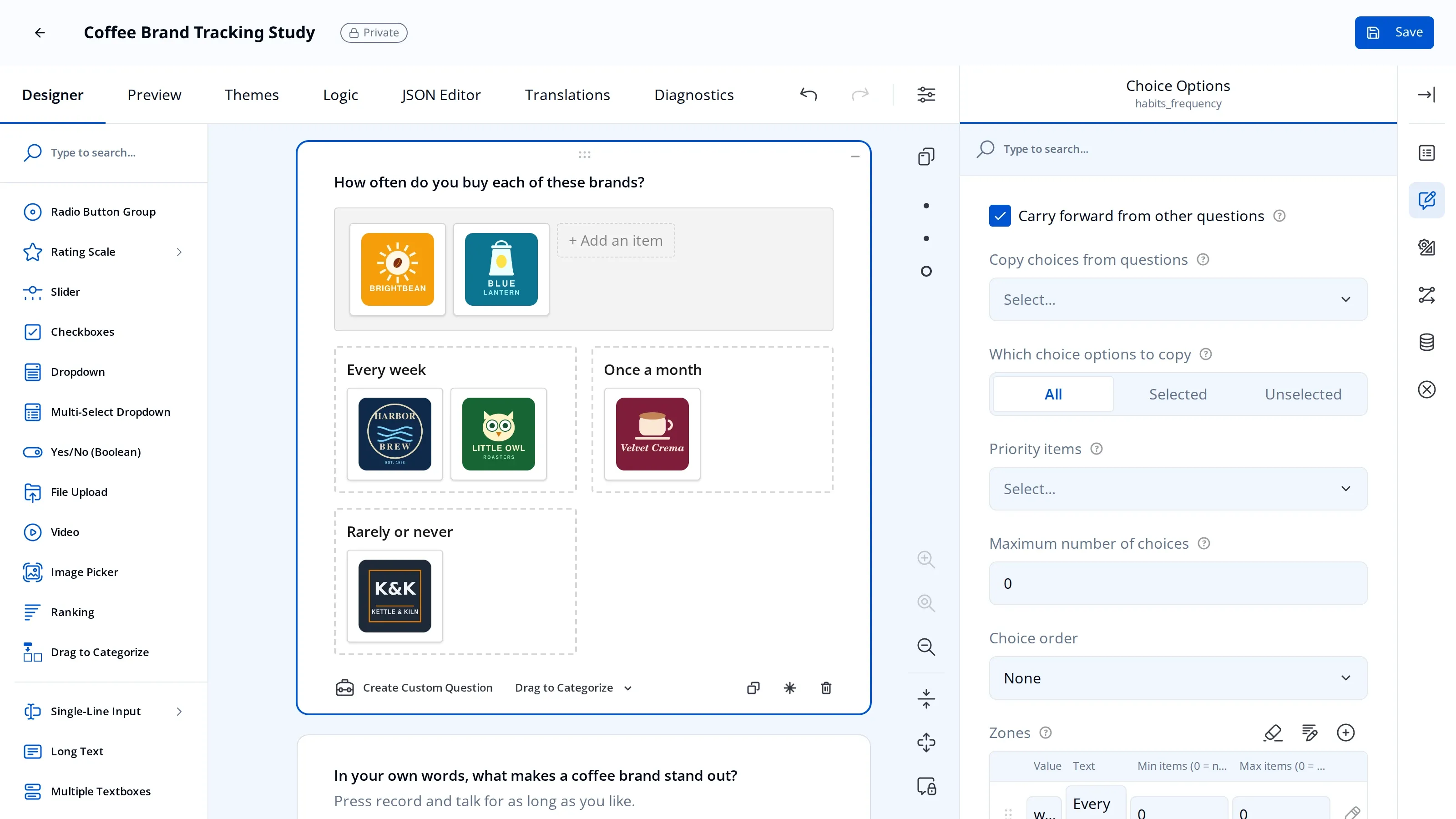
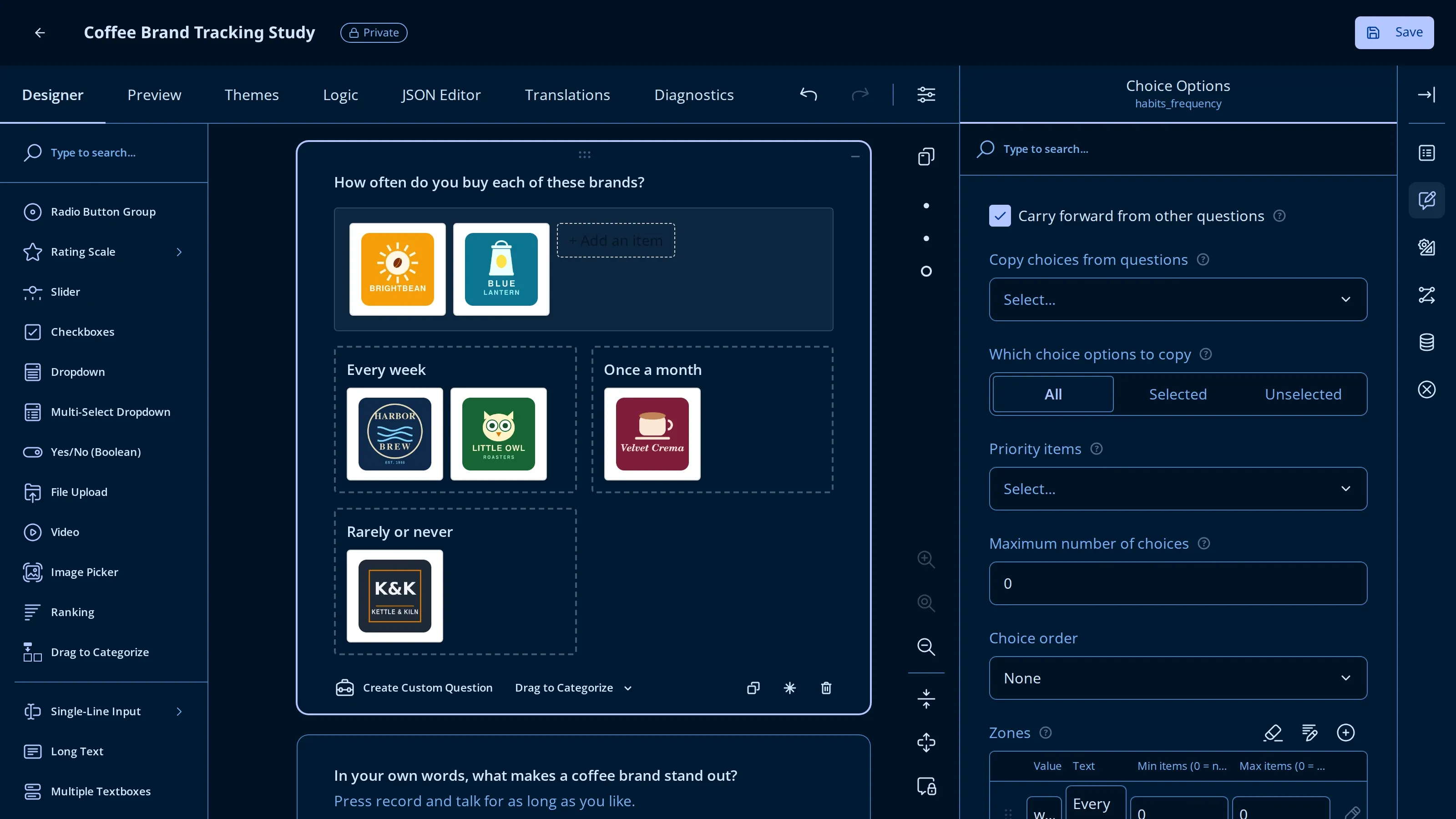
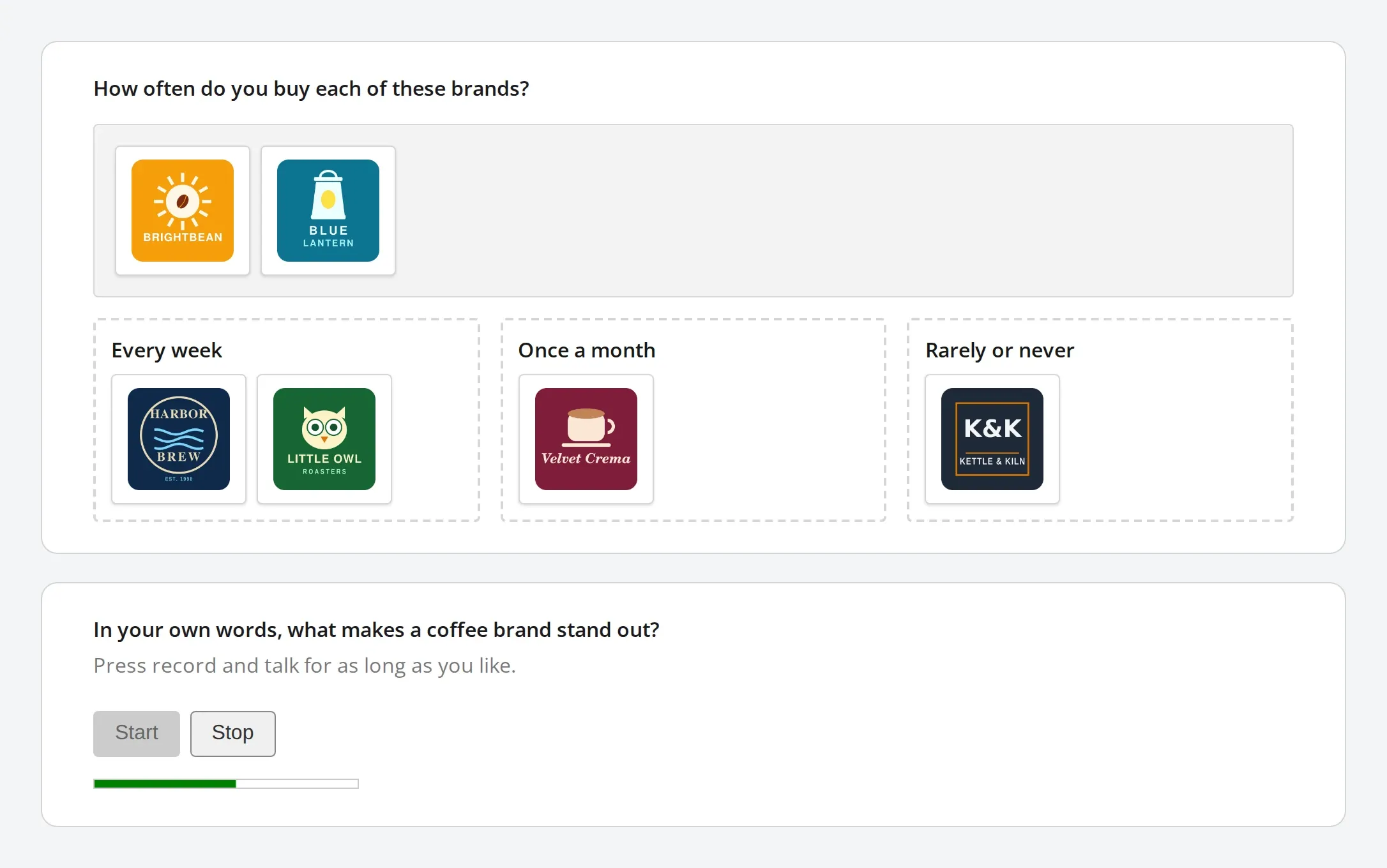
Drag to Categorize. Respondents drag items from a pool into named zones. It is a natural fit for card sorting, brand mapping, priority bucketing, and other tasks where respondents need to group items. Items can be text or images, and zones are configured the same way as choices. Authors can require every item to be placed, allow an item in more than one zone, set minimum and maximum item counts per zone, and control the zone width. The answer is stored as a map of zones-to-items and is rendered properly in the PDF export.
Audio Recorder. This question records the respondent’s voice using the browser’s microphone, displays a live waveform while recording, and allows playback before the form is submitted. Spoken answers are often more detailed than typed ones and are much faster to give on a mobile device. The question extends QuestionFileModelBase, so it reuses the file storage pipeline described above, and recordings are always uploaded to the configured storage provider rather than embedded in the submission JSON.
Both question types are available in the toolbox next to the built-in ones, can be used in the logic tab, and are included in the PDF export.
Deep dive coming in this series: building complex custom question types on SurveyJS.
The Market Research Toolkit
The next five enhancements were developed for survey research, where the order and presentation of questions and options can influence the answers. Together they help reduce bias, capture unprompted recall, and build questionnaires that adapt to earlier answers.
A dedicated post on reducing bias in SurveyJS surveys is coming in this series.
5. Grouped Randomization
Randomizing the order of answer options is a common way to reduce order bias, and SurveyJS supports it through the choicesOrder: "random" setting, which shuffles all choices of a question.
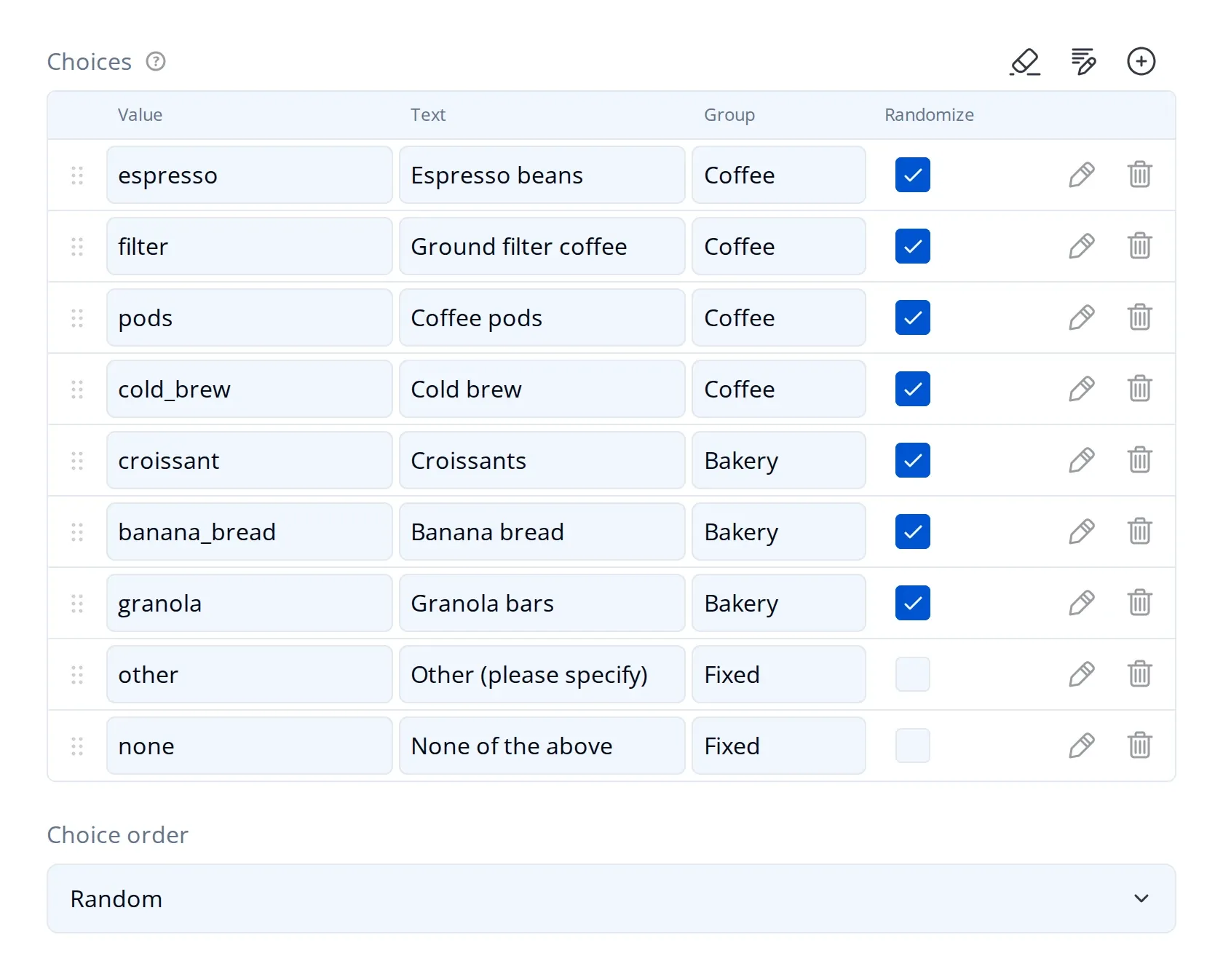
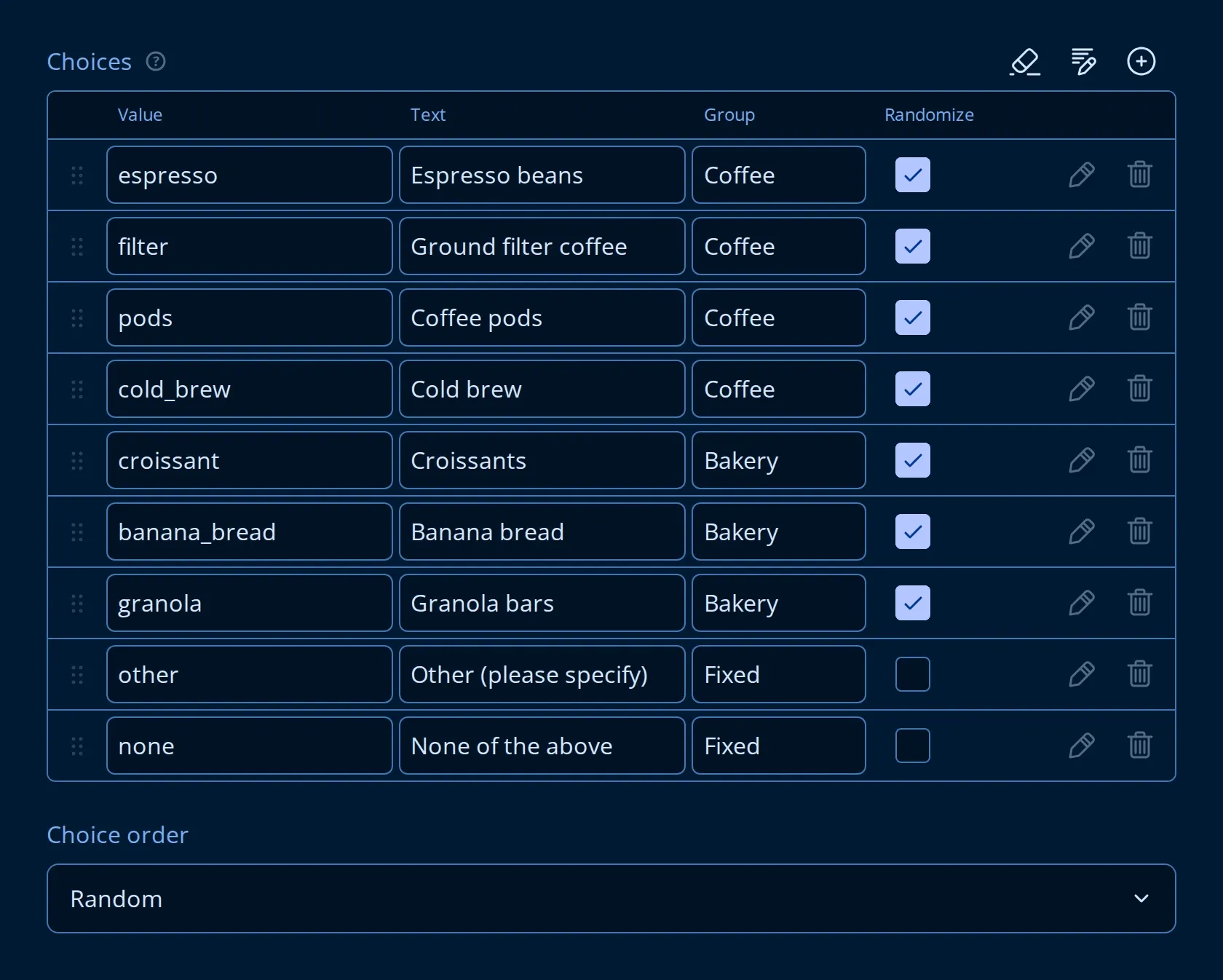
Many research questionnaires need more control than that. Options such as “Other (please specify)”, “None of the above”, or “Prefer not to answer” usually need to stay at the bottom of the list. A list of brands split into categories, for example drinks and food, should be randomized within each category without mixing them together. Individual choices can be excluded from randomization, thus always guaranteeing them a specific position in the list.
Endatix adds two properties to each choice item: a group name and a randomize flag. Choices are shuffled within their group, groups keep their authored order, and any group marked as not randomized keeps its original order. Both properties appear in the choices table in the builder only when the question’s choice order is set to random.
The shuffle is seeded from the survey’s random seed, so choices that are recalculated during the survey, for example through “carry forward” or data lists, keep a stable order for the respondent. Randomization is also disabled in the builder, so authors always see the order in which they configured the choices.
6. Blind Search
When respondents are asked which brands or providers they are aware of, showing them a list of options turns the question into a recognition test. The usual alternative is an open text field, which avoids the bias but requires manual mapping of the answers afterwards.
Blind Search is a multi-select dropdown mode that keeps the list of choices hidden until the respondent starts typing. Authors can optionally set a minimum number of characters before the auto-complete kicks in. Once the threshold is reached, only the matching entries are displayed.


This way respondents have to recall the answer on their own, while the result is still stored as a coded value from your list instead of free text that needs to be cleaned up. Blind Search works well together with Data Lists, which allows recall to be measured against a large, lazy-loaded catalog of options.
7. Advanced Carry Forward
Carry forward is a common technique in survey research: for example, asking which brands a respondent is aware of, and then asking which of those they have purchased. SurveyJS supports this through the choicesFromQuestion property, which covers the standard scenario.
More complex questionnaires often need additional options, so Endatix extends carry forward on seven question types (checkbox, radiogroup, dropdown, multi-select dropdown, imagepicker, ranking, and buttongroup):
- Multiple sources. Choices can be carried forward from several earlier questions, and they are merged and de-duplicated.
- Mode. Authors can carry forward all choices, only the selected ones, or only the ones that were not selected.
- Priority items. Specific choices can be pinned to the top of the list in a defined order. They are kept in place even when the remaining choices are randomized.
- Maximum choices. The number of carried-forward choices can be limited. Priority items are always included.
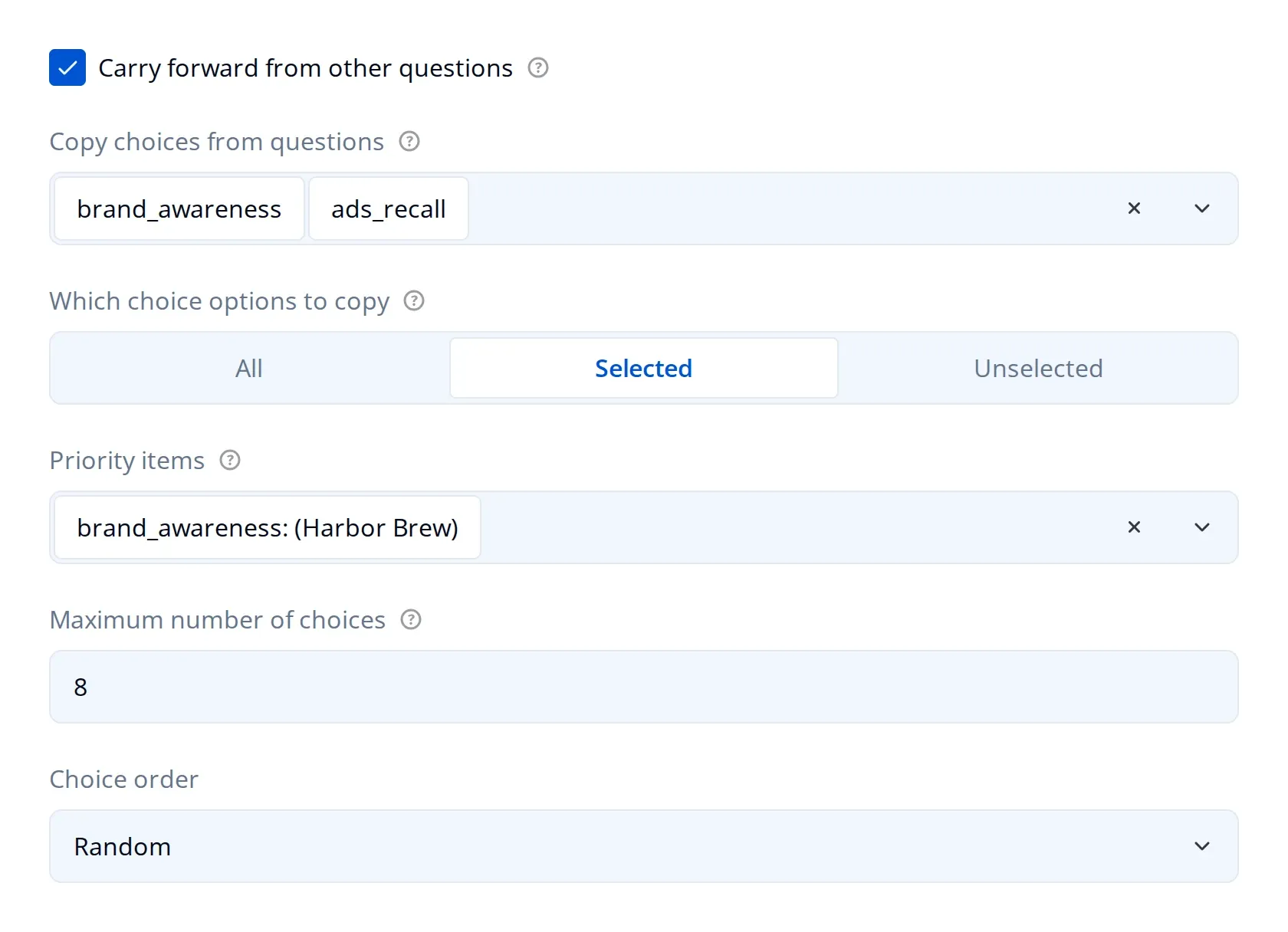
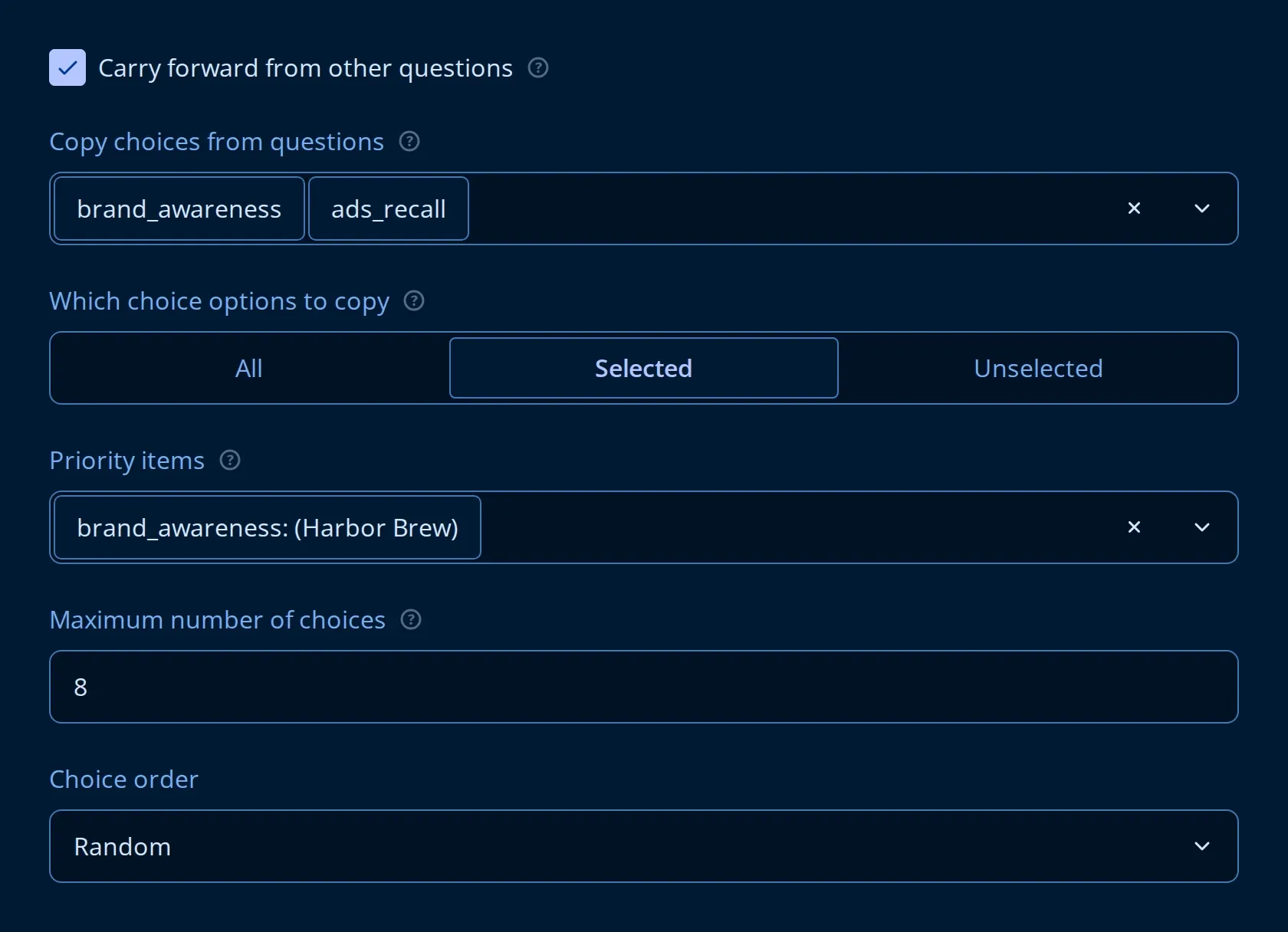
All of these settings are available in the property grid, are saved as part of the form JSON, and update automatically whenever the respondent changes an answer in one of the source questions. The same logic can also populate matrix rows, so a rating grid can be built from the brands a respondent selected earlier in the survey.
8. Question Loops
Asking the same set of questions for each item a respondent has selected is a very common requirement in survey research.
SurveyJS provides the dynamic panel (paneldynamic) for repeating a group of questions. Endatix builds on it with advanced question loop options, where the number of iterations is driven by the answers to other questions. Similarly to the Advanced Carry Forward feature, authors select one or more source questions, choose whether to loop over selected choices, unselected choices, or all of them, and can optionally randomize the order.
Each iteration exposes itemText, itemValue, and loopIndex to the questions inside the loop. This allows titles to include the current item, for example “How satisfied were you with {itemText}?”, and stores the item values in the submission data for analysis.
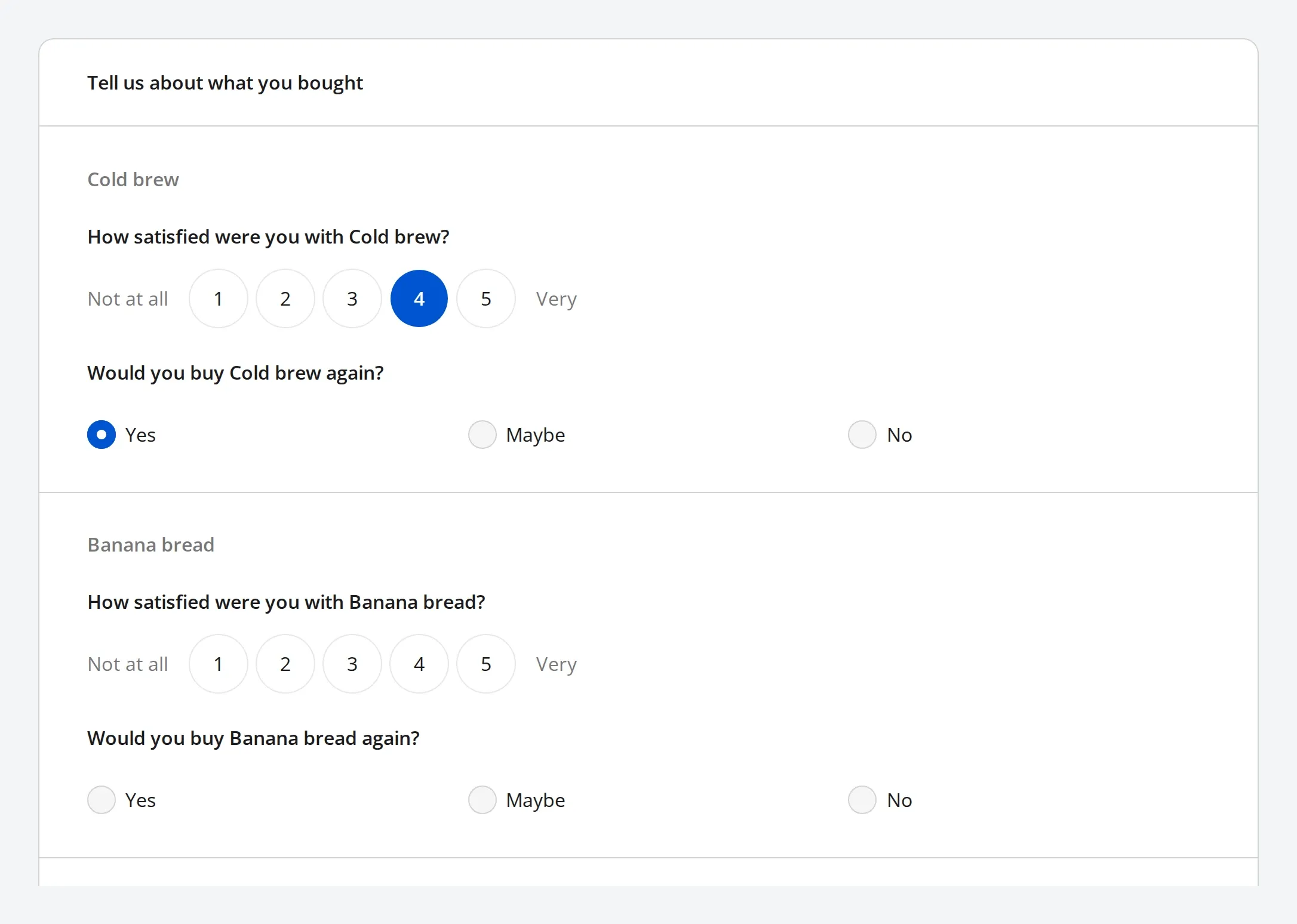
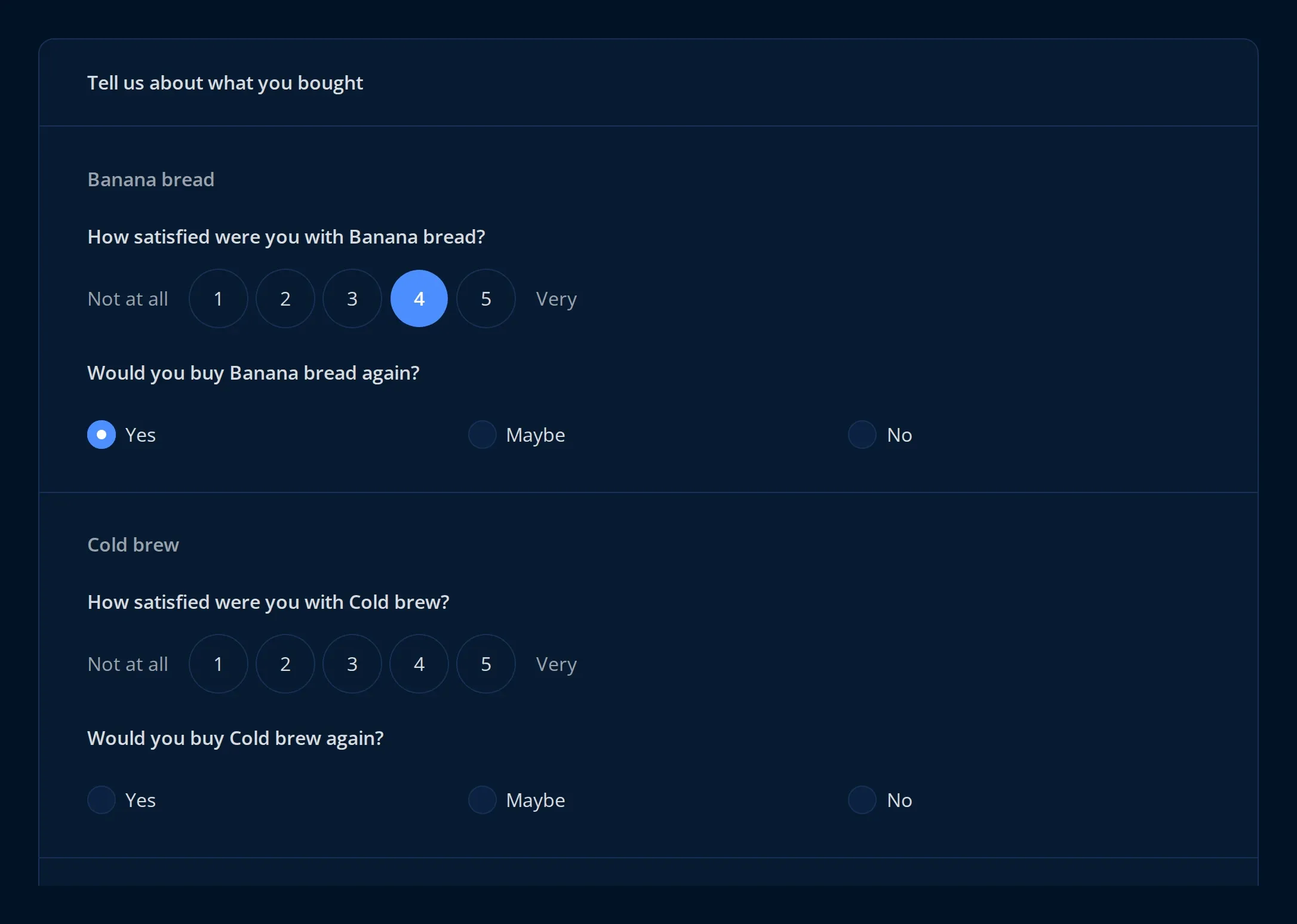
Two exit conditions are available: one ends the current iteration and moves to the next item, and the other ends the loop entirely. Both are defined as expressions. Loops can also be nested, and each nested loop keeps track of its own state independently.
9. Extended Expression Language
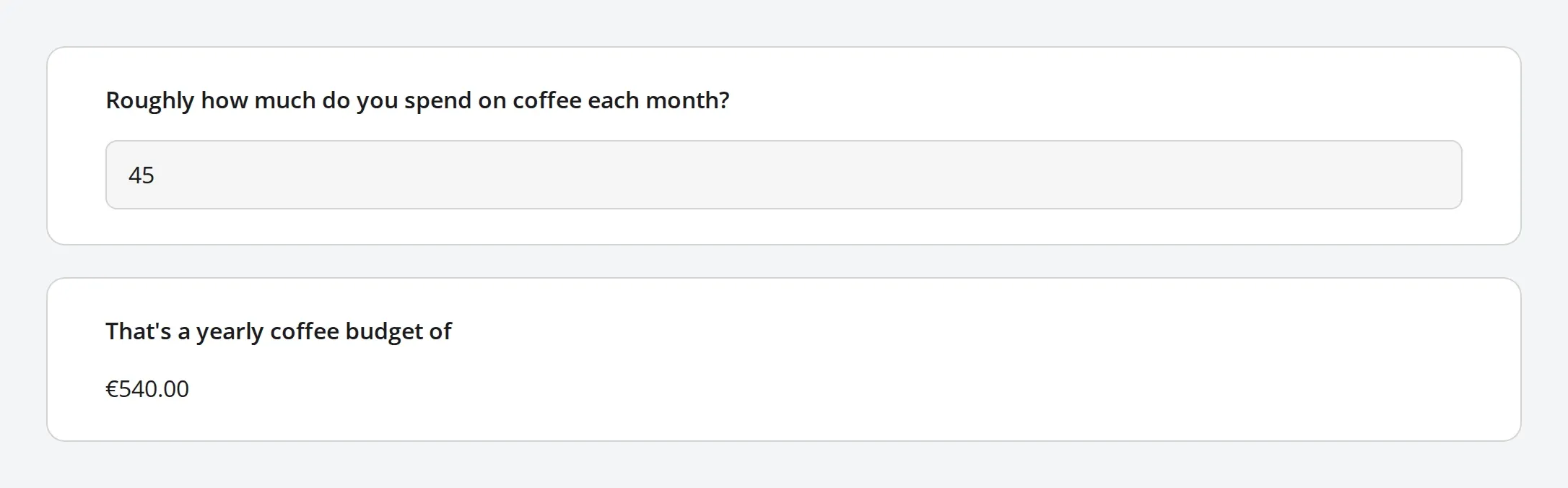
SurveyJS expressions drive conditional visibility, validation, calculated values, and piped text. The engine comes with a focused set of built-in functions and allows new ones to be registered through FunctionFactory. Endatix adds functions in two areas.
Logic functions:
anyAnswered(...)returns true if any of the passed values is not empty, which replaces a long chain ofis not emptyconditions.anyAnsweredByPrefix("q7_")returns true if any question whose name starts with the given prefix has been answered. This makes it easy to define conditions for a whole block of questions that keep working when questions are added to the block.regexMatch(value, pattern, flags)allows regular expressions to be used in conditional logic, not only in validation. Patterns are limited in length and checked for constructs that could slow down the browser.
Formatting functions: formatCurrency(total, "EUR"), formatNumber(value, 2), and formatDate(when, "long") format piped values for display, for example on summary or confirmation pages. They are based on the browser’s Intl API and accept an optional locale, so a form displayed in German uses German number and date formats. A general format(value, type, ...) function is also available for cases where the type is determined dynamically.

10. Survey Diagnostics
Market research surveys tend to get very complex due to the multiple paths a panelist could take. A questionnaire can accumulate over a thousand hidden questions and hundreds of logic conditions. Each change on its own is small, but together they can affect the performance of the form.
Diagnostics is an additional tab in the Endatix form builder, next to Design, Preview, and Logic. It analyses the current form and reports the metrics that have the biggest impact on performance: the size of the form JSON, the total number of questions, embedded base64 images and their combined size, the number of logic conditions, the size of dropdown and choice lists, and file upload questions.
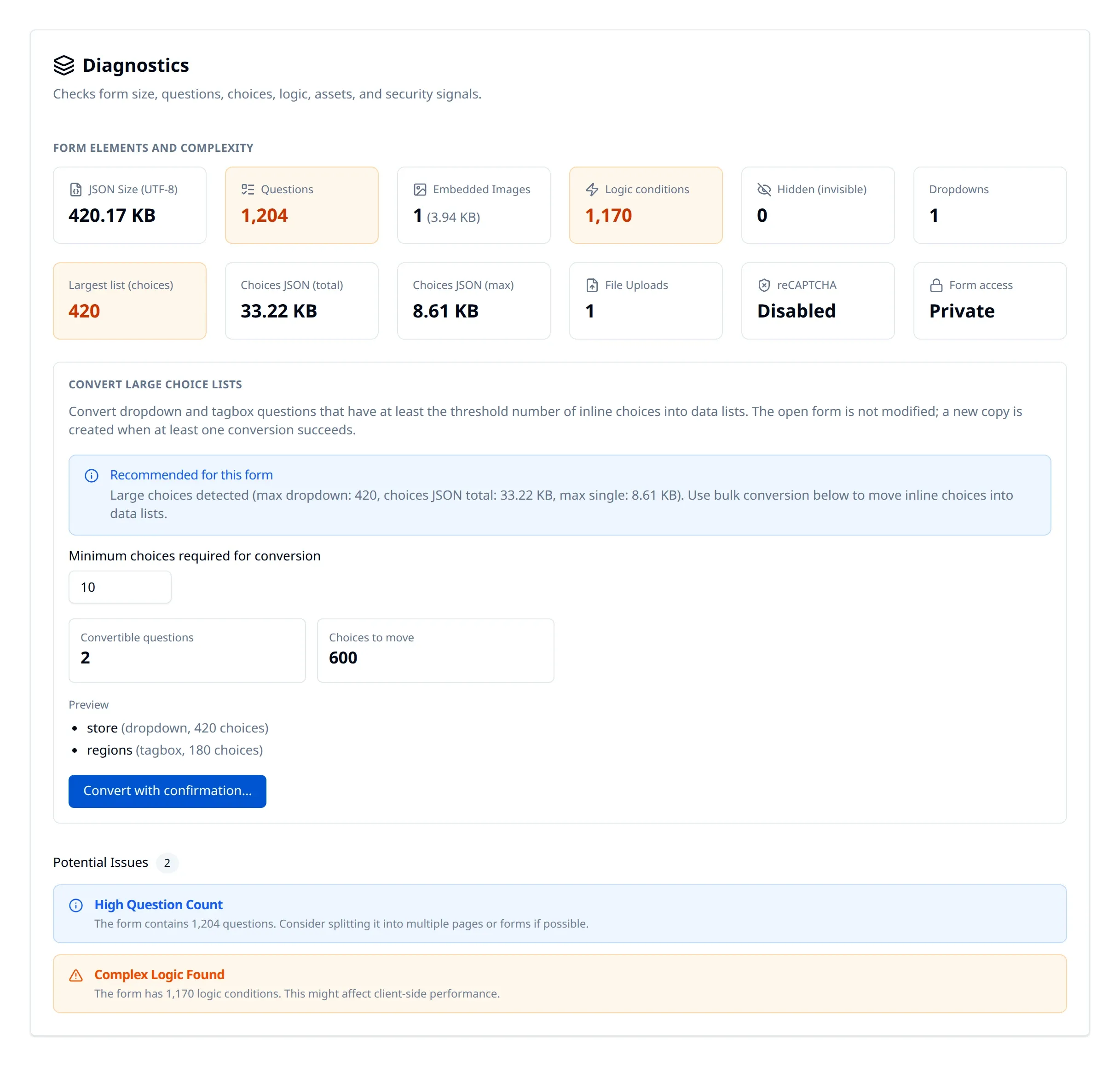
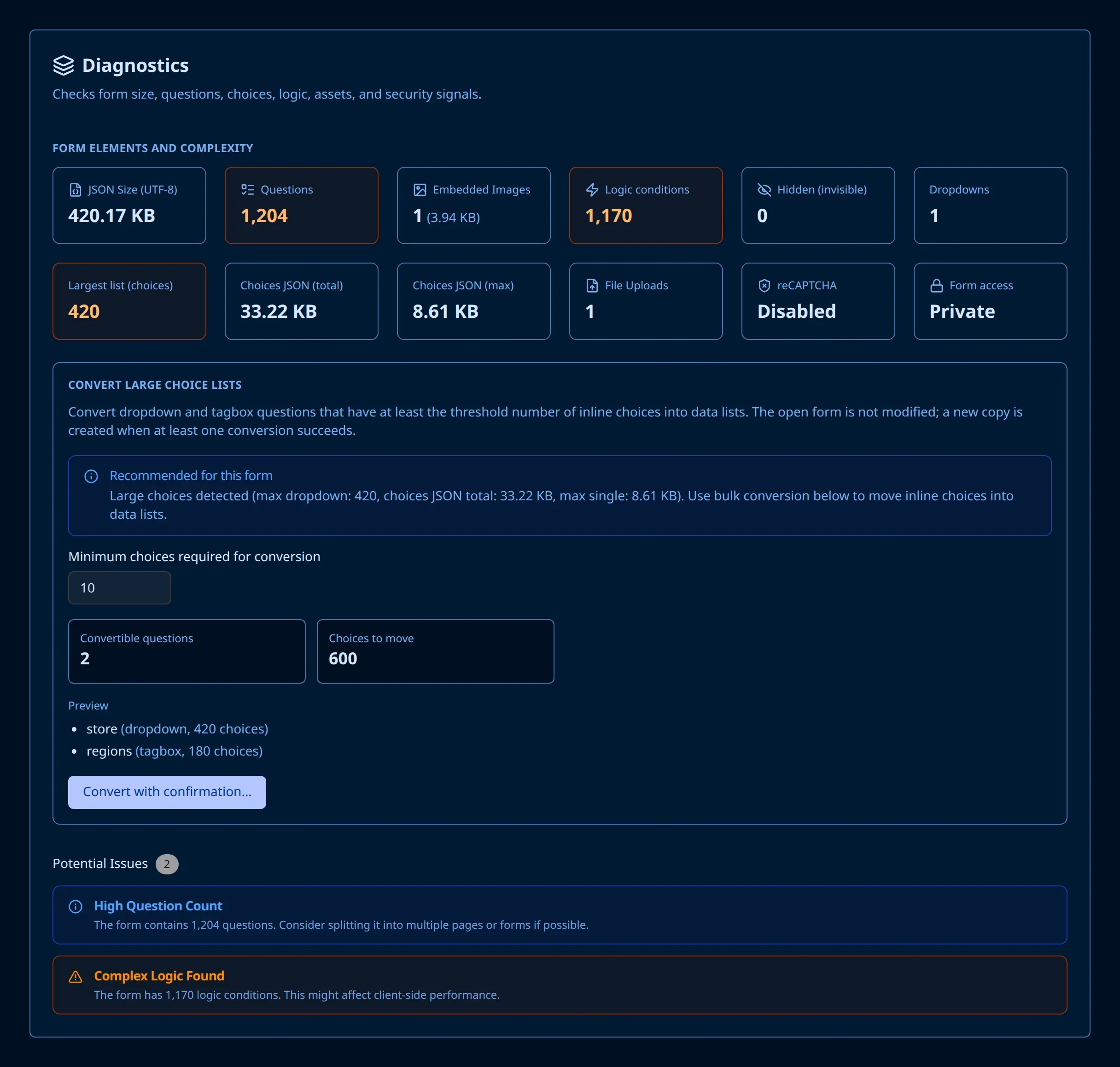
It also provides recommendations on how to optimize a form, such as:
- Improving logic rules.
- Splitting the form.
- Converting inline choices to data lists.
- Detection of improperly configured file upload questions.
For large inline choice lists, the diagnostics tab offers to convert them into a shared data list directly.
Honorable Mentions
The ten enhancements above are not a complete list. Here are a few more that ship with Endatix Hub.
Rich text. Question titles, descriptions, and HTML text can be edited with a rich text editor in the property grid. The content is rendered with markdown-it and sanitised before it is displayed, so authors can add formatting and links safely.
Language selector. SurveyJS stores translations for every string in the form JSON. Endatix adds a language picker to the form and selects the initial language based on a server-provided locale, the respondent’s saved preference, the form’s default locale, or the browser language, in that order. The respondent’s choice is remembered for return visits, and the selected language is saved with the submission.
Query string personalization. Query string parameters in a form URL are available as survey variables and can be used in piped text, conditional logic, and calculated values. For example, ?firstname=Alex&plan=premium allows the form to greet the respondent by name and skip questions that do not apply to their plan. The values are saved in the submission metadata and can optionally be removed from the visible URL after they are read.
reCAPTCHA. Google reCAPTCHA v3 protects public form submissions and authentication flows without asking respondents to solve a challenge. It is enabled by configuring a site key.
Matrix carousel. A display mode for the matrix question that shows one row per screen with a shared rating scale, supports swiping on touch devices, and includes a progress indicator. It uses the same JSON as a regular matrix and makes long grids much easier to complete on mobile devices.
Summary
All of these enhancements are built using the extension points that SurveyJS provides: custom properties, expression functions, new question classes, property editors, and a SurveyJS Creator plugin. None of them required forking SurveyJS, which means Endatix stays compatible with new SurveyJS releases and can adopt their improvements as soon as they ship.
If you are building a project on SurveyJS and need a complete form management platform around it, you can start a free trial or contact us about self-hosting. Endatix Hub runs on your own infrastructure or as a private hosted service. To learn more about the form engine itself, visit SurveyJS.