

Secure File Storage
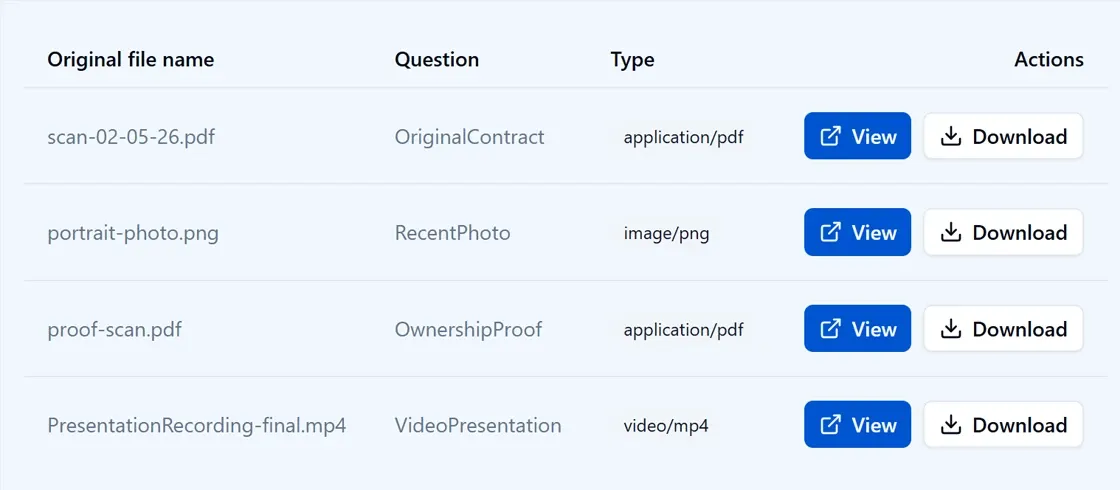
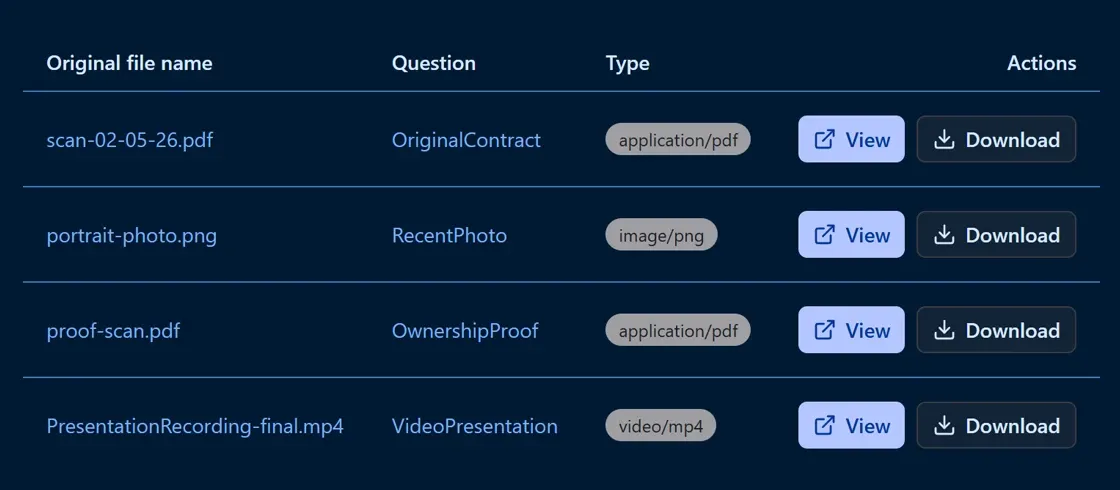
Respondents can upload files, images, and video directly through the form. Files are stored securely in Azure Blob Storage, any S3-compatible provider, or RustFS for fully on-premise deployments.
Your storage, your rules
For many industries - healthcare, legal, insurance - file uploads cannot go into a shared SaaS bucket. Endatix writes directly to the storage provider you configure, so you retain full control over where files live and who can access them.
- Azure Blob, S3-compatible providers, and RustFS supported
- Files are scoped to their submission - not shared across respondents
- Access to files requires authenticated API requests
- Type and size limits are enforced at the server layer
- Signature pad output uses the same storage pipeline
- Bulk file downloads with customizable naming conventions
Supported storage providers
Configure the provider that matches your infrastructure and compliance requirements.
Azure Blob Storage
First-class support for Azure Blob. Configure a storage account and container, and uploaded files land there directly - fully managed by Azure infrastructure.
Amazon S3-Compatible
Any S3-compatible object store works - AWS S3, MinIO, Cloudflare R2, Backblaze B2, or a private deployment. Standard credential and region configuration applies.
RustFS
Run a fully self-hosted object store with RustFS on your own hardware. No cloud dependency, no external API calls - files stay entirely on-premise.
Secure Access Control
Uploaded files are never publicly accessible. Access is scoped to the submission and requires authenticated API calls - respondents cannot access each other's files.
Images, Documents & Video
File upload questions accept any MIME type you configure - images, PDFs, Word documents, audio clips, video recordings. Type restrictions are enforced server-side.
Submission-Scoped Storage
Each file is linked to the specific submission it was uploaded through. Delete a submission and its files can be cleaned up together, or retained per your retention policy.
Provider Configuration via Env Vars
Switch storage providers by changing environment variables - no code changes required. Useful for running the same image in different environments with different storage backends.
In-form Upload Widget
File upload is a first-class question type in the form builder. Drag-and-drop or browse-to-select, with configurable size limits and accepted file type labels.
Signature Pad
The signature question type captures a hand-drawn signature and stores it as an image file through the same storage pipeline as other uploads.
Ready to launch your own enterprise form management platform?
Book a 30-minute call and we'll show you how Endatix fits your workflow.
Ready to launch your own enterprise form management platform?
Book a 30-minute call and we'll show you how Endatix fits your workflow.